Find what you have
Search by material name, category, or storage location. Set a low-stock threshold so you know what to replenish.

For independent makers
Find your materials, see what’s already reserved, and know what each finished order really cost.
Explore the workflow
Search by material name, category, or storage location. Set a low-stock threshold so you know what to replenish.
Save the materials and quantities for products you make often. Start an order from a template to estimate costs and reserve stock.
Log what you actually used when you finish. Stock updates from that amount, and later price changes leave the completed order’s costs and profit intact.
Say you have 12 metres of canvas and 7 are reserved for current orders. You can promise 5 metres to new work. Cancel an order and its reservation becomes available again.
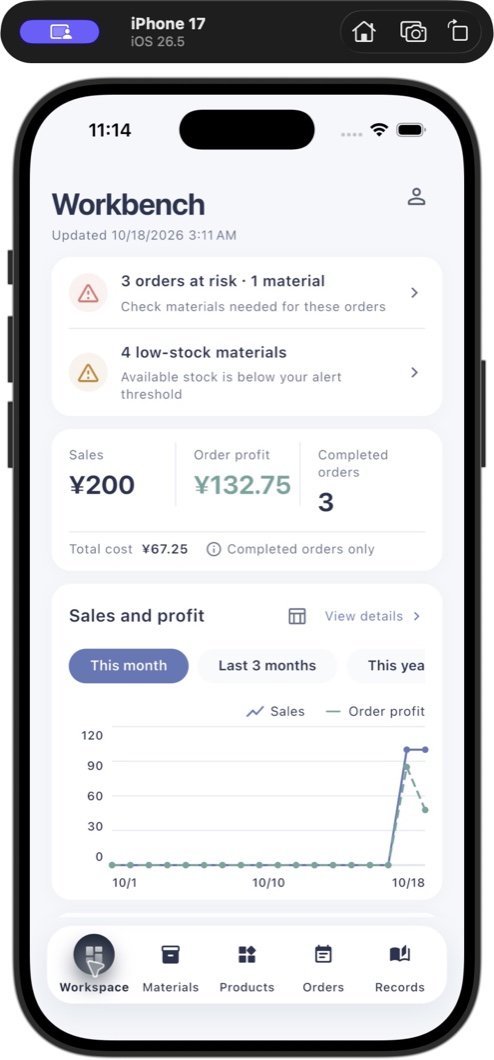
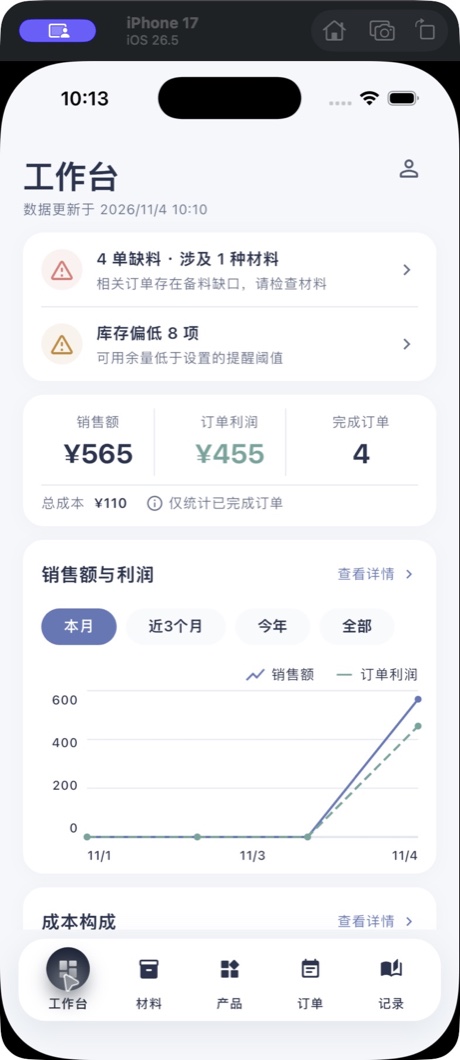
Open the workbench for orders short on materials, items to replenish, and sales and profit trends for completed orders.
Keep inspiration, tutorials, photos, and notes together so you can find them when you’re ready to make something new.